CRUD with Edit Screen

About This Space
CRUD Application with Detail Edit Screen
Last updated on February 1, 2023
Public Permissions: View Run Comment
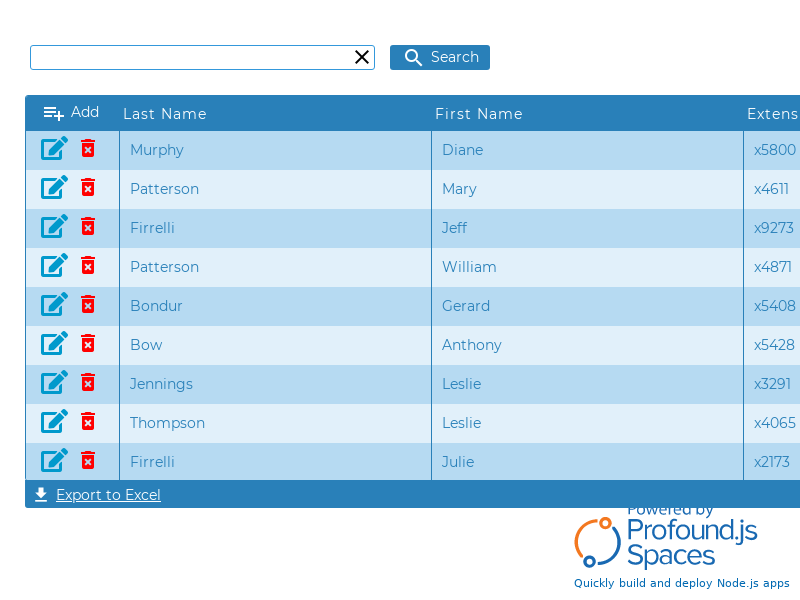
CRUD with Edit Screen Template
This template provides an example of a full CRUD (Create/Read/Update/Delete) application with search capabilities.

Generating Custom CRUD Applications
You can create a starting point for a CRUD application instantly by right-clicking the appropriate table in the Database tab, and selecting the option Build CRUD App.

You can double-click each individual column within a table to specify properties that will be used when generating a CRUD application.

Routines
The CRUD generator does not create code. It creates No-code Routines that appear in the Logic tab of the Visual Designer interface.

Each routine can contain one or more configurable steps.

More Spaces By Al3 (@al3)
This space creates an AWS S3 Bucket Browser using AWS SDK APIs. It allows you to create and delete buckets, list objects in a bucket, and Upload, download, preview or delete objects. This space is protected to protect the credentials being used for the example. To see the code or create a version to browse your own S3 buckets see http://noderun.com/al3/aws-s3-bucket-browser/
13984
1
1
16607
0
3
Be the first to comment:
Comments